



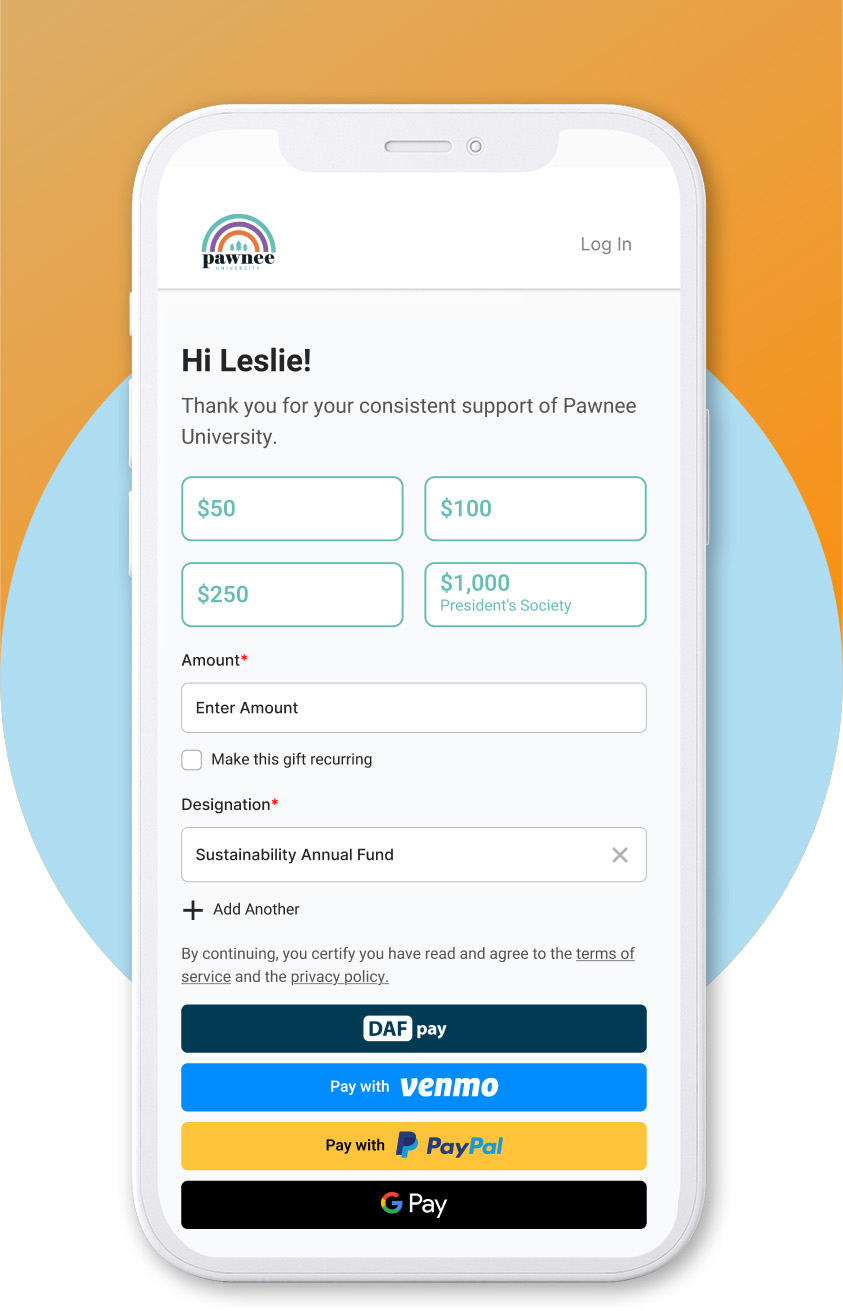
 Personalize the giving experience
 Recommend AI-generated Smart Ask Amounts.
 Accept recurring gifts or pledges.
 Default to the cause they supported last.
 Offer multiple payment options, including DAFpay.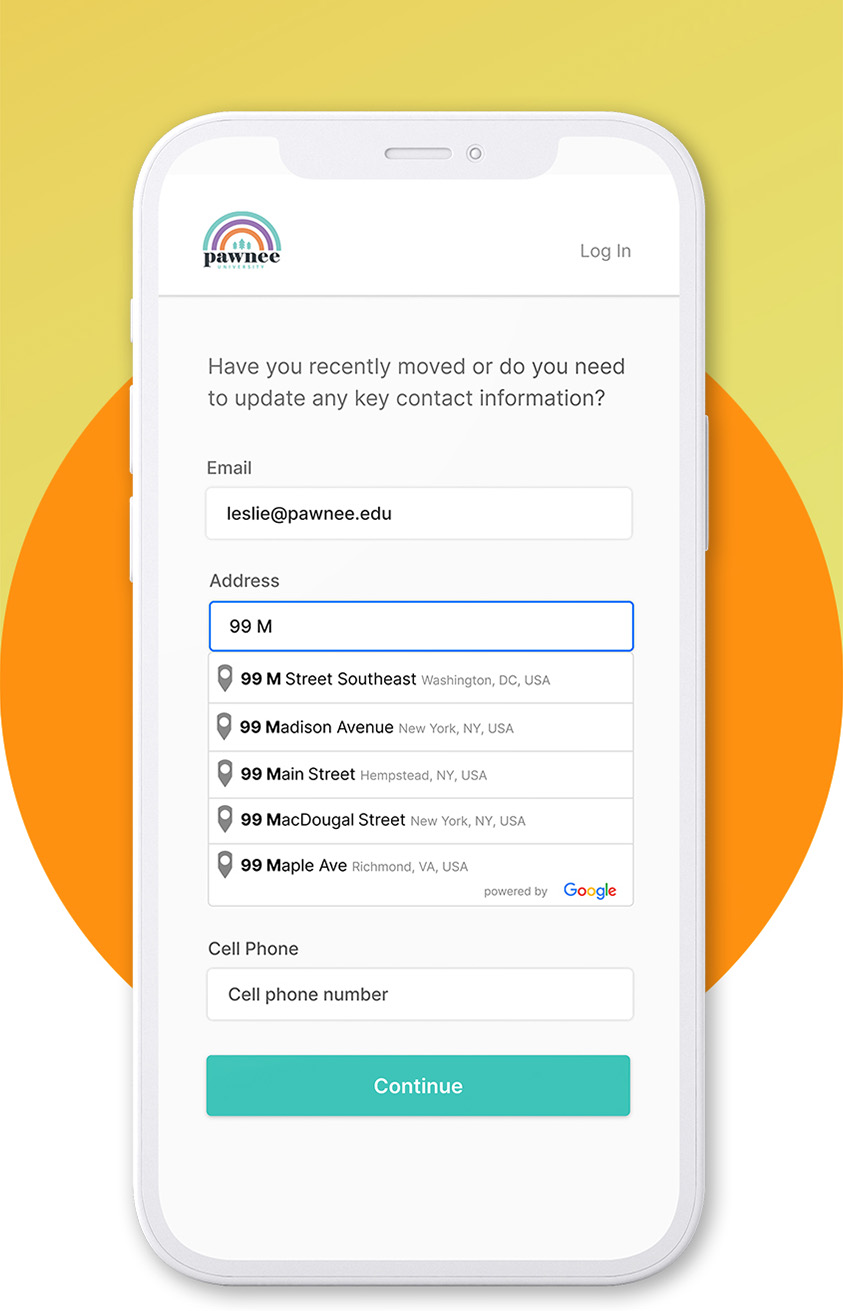
 Ask donors to update their contact info after they've made their gift, not before.
 Add Google Address Autocomplete for faster checkout, fewer keystrokes, and fewer typos.
 No updates? Let donors zip along to the confirmation page.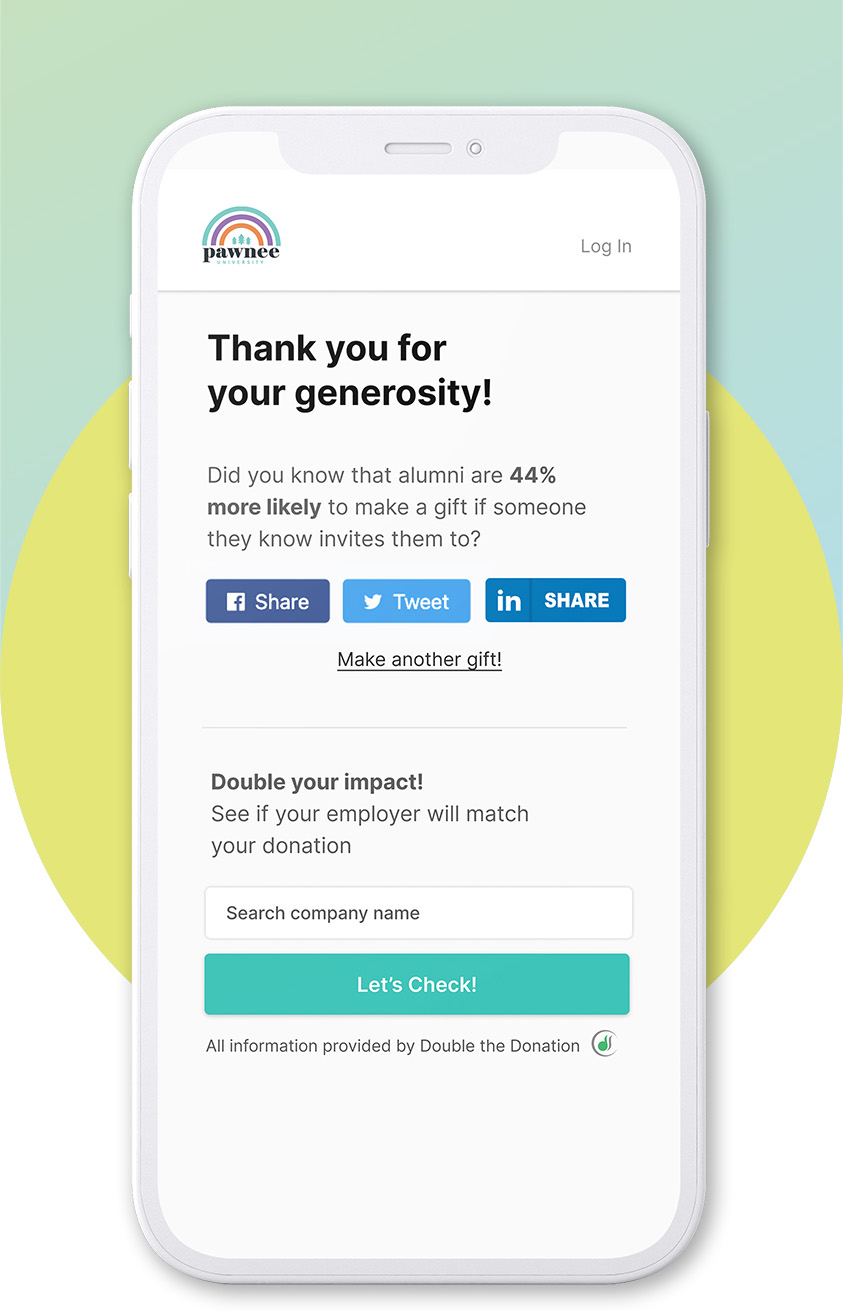
 Steward donors instantly at the moment of giving.
 Make it easy for donors to share your campaign on social media and inspire others to give.
 Turn every match-eligible donation into two with automated corporate gift matching.
